WhatsApp audio
WhatsApp audio transcription missing on iPhone?
Check the voice-message settings on iPhone, save a playable copy and review or copy the transcript in your browser.
If Transcribe is missing from an iPhone voice message, check Settings > Chats > Voice message transcripts in WhatsApp and the selected language. If the option remains unavailable, save a playable copy and upload it to WhatsApp audio transcription.
Check the voice message and its settings
Update WhatsApp through the App Store and look for the transcription option in Chats settings. When available, select the spoken language, hold the voice message and look for Transcribe. The official WhatsApp guide explains activation; consult the current device help if the command is missing.
Save a copy you can play
Use the message's share or forward action when available and look for Save to Files in the iPhone share sheet. Menu names vary by version. Open the copy in Files and listen to its beginning and end. If saving is unavailable there, use WhatsApp on a computer to download the original.
Keep the original until you have checked the result. A conversation link or shortcut cannot replace the audio file. The WhatsApp file-saving guide helps you check the format and saved copy.
Select the file in your iPhone browser
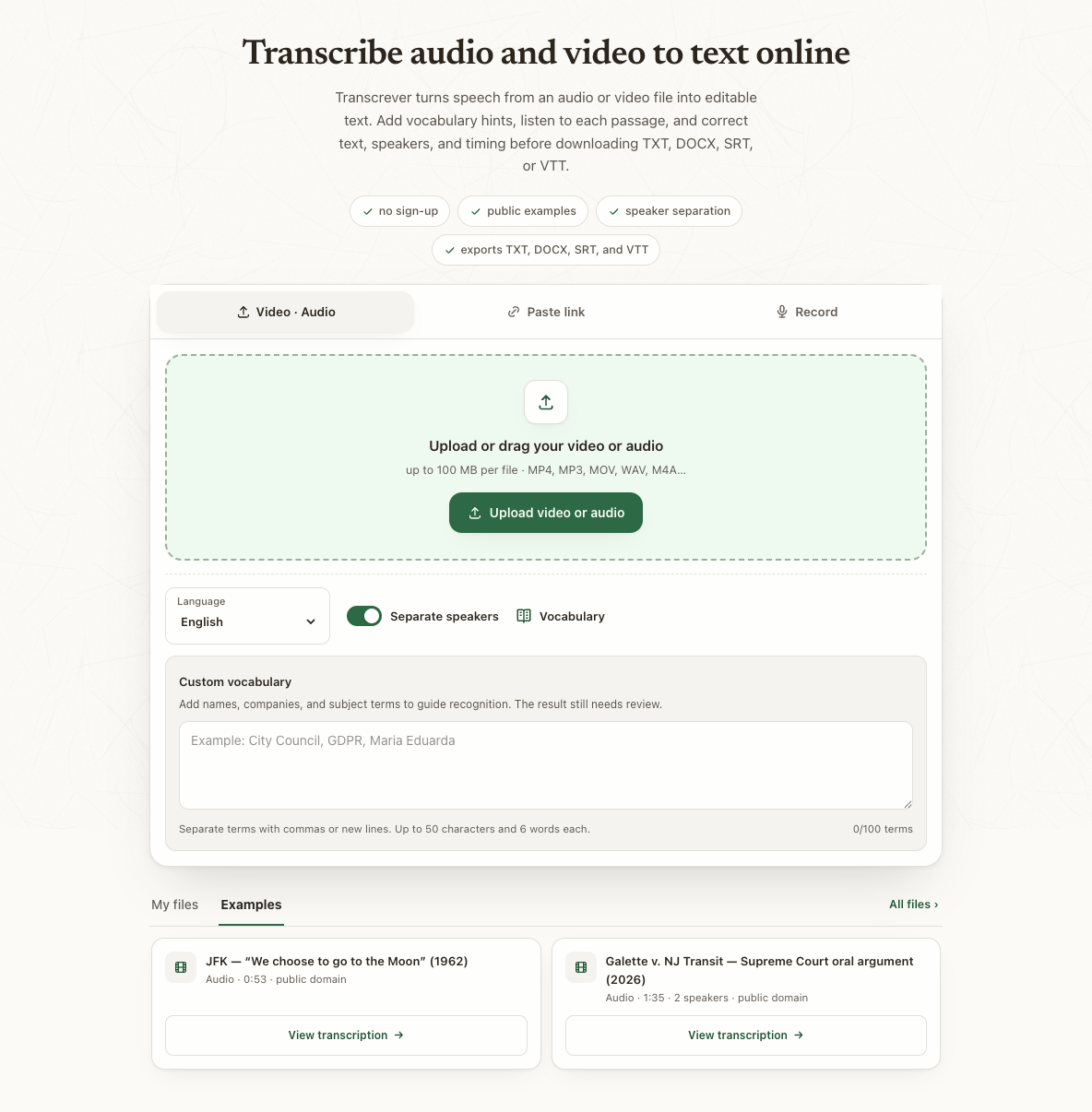
Open the tool, select the saved recording from Files and choose its predominant spoken language. Add unusual names to the vocabulary before uploading. Once the transcript is ready, listen to uncertain passages and correct what you can confirm.
Check names and numbers before replying
Verify dates, amounts, addresses and negations with surrounding audio. Compare the first and last sentences with the original message. Use Copy for conversation to copy reviewed text without speaker labels, or save TXT or DOCX.
When the saved file is rejected
OGG and M4A are accepted. Keep a standalone .opus original and convert a copy to an accepted format; changing the extension is not conversion. The anonymous trial accepts files up to 10 minutes and 100 MB, within 30 total minutes. Check plans and minutes for longer recordings.
Frequently asked questions
Do I grant access to my conversations?
You select a saved file. Make sure you can share that message before uploading it for transcription.
Can I edit on my phone?
Yes. Open the completed result, play passages and correct the text before copying or exporting.
The file contains only part of the message. What next?
Save another copy and compare its duration. Transcription cannot recover audio missing from the file.